

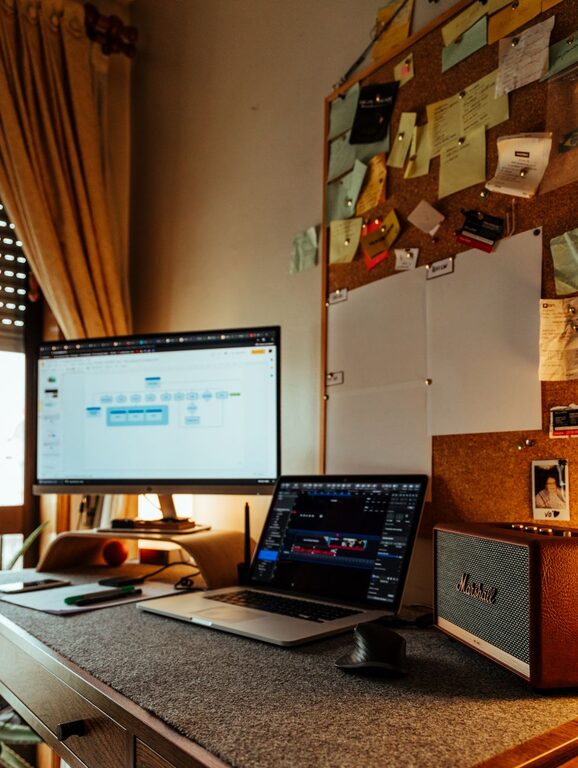
Creating a home office that feels both comfortable and productive is essential for anyone working remotely or managing tasks at home. A well-designed workspace can boost your focus, reduce stress, and help you maintain a healthy work-life balance. In this post, we’ll explore practical tips to help you create a cozy and efficient home office tailored to your needs.
Choose the Right Location
Picking the right spot for your home office is the first step. Ideally, select a quiet area with minimal distractions. If possible, choose a room with natural light to improve mood and energy. Avoid setting up near noisy appliances, heavy foot traffic zones, or places where you’ll be tempted by non-work activities.
Consider Space and Layout
Make sure the space fits your desk, chair, and any equipment you need. Leave enough room to move comfortably. If space is limited, think vertically — shelves and wall organizers can maximize storage without cluttering your desk.
Invest in Comfortable and Functional Furniture
Your furniture makes a big difference in how productive and comfortable you feel.
– Ergonomic Chair: Choose a chair with proper lumbar support, adjustable height, and comfortable padding to avoid discomfort during long hours.
– Desk: Select a desk that fits your work style—whether you prefer standing desks, traditional desks, or something adjustable.
– Accessories: Consider a keyboard tray, monitor stand, or footrest to improve posture and reduce strain.
Optimize Lighting
Lighting plays an important role in productivity and comfort.
– Natural Light: Position your desk near a window to benefit from daylight.
– Task Lighting: Use adjustable desk lamps to focus light where you need it most.
– Ambient Lighting: Avoid harsh overhead lighting by adding soft lamps or indirect lighting to create a cozy atmosphere.
Organize and Declutter
A tidy workspace reduces stress and improves focus.
– Storage Solutions: Use drawers, shelves, or bins to keep supplies organized.
– Desk Essentials: Keep only daily-use items within reach; store everything else away.
– Cable Management: Use clips, sleeves, or boxes to control cords and prevent tangles.
Add Personal Touches
Making your office inviting can boost creativity and motivation.
– Decor: Add plants, artwork, or photos that inspire you.
– Colors: Choose calming or energizing colors based on your preference—soft blues and greens create calm, while yellows and oranges boost energy.
– Comfort Items: Include a cozy blanket, cushions, or scented candles to make the space feel welcoming.
Minimize Distractions
Work from home can bring many interruptions.
– Noise Control: Use noise-cancelling headphones or soft background music to block distractions.
– Separate Zones: If possible, designate the office as a work-only space to mentally separate work from personal life.
– Technology Management: Turn off unnecessary notifications or use apps that limit distractions.
Maintain Air Quality and Temperature
A comfortable environment helps sustain concentration.
– Ventilation: Open windows regularly or use air purifiers.
– Plants: Indoor plants help improve air quality naturally.
– Temperature Control: Use fans, heaters, or humidifiers as needed to keep the room comfortable year-round.
Establish a Routine and Keep it Consistent
Having a dedicated workspace is only part of the equation.
– Set regular work hours and take breaks just like you would in an office.
– Keep your workspace clean at the end of each day to start fresh tomorrow.
– Change your environment occasionally, if possible, to stay motivated—like working near a window or moving to another chair for short periods.
Technology Setup
Ensure your home office technology supports smooth work.
– Reliable internet connection and backup options.
– Adequate power outlets and surge protectors.
– Software and tools configured for efficiency.
Final Thoughts
Designing a cozy and productive home office doesn’t require an overhaul or expensive purchases. By focusing on comfort, organization, lighting, and minimizing distractions, you can create a space that supports your best work. Take time to personalize it to your style and evolving needs—your workspace should be as dynamic as your work itself.